
Marketing Business Navigator — Customer Relationship Management (CRM)
Business Navigator — CRM automates marketing processes. In the past, marketing as a process was external to the company's activities, and could be served by a single department that created and controlled marketing messages to customers. But current conditions are different. With the growing integration of the Internet into every aspect of business life, every customer can now, figuratively speaking, step inside the company and interact with any employee. As a result, every customer interaction becomes a marketing responsibility for the employee — an opportunity to assist the client, provide service, make a sale, and relay feedback for the further development of the product, brand, or service. In this context, customer relationship management (CRM) systems are indispensable for any company.
Business Navigator — CRM automates the following functions of marketing processes:
Planning, managing and conducting marketing campaigns
Marketing campaigns are defined as actions, with each action taking place in different stages. Campaign planning includes determining the type of campaign, determining the stages of the campaign, determining the target groups to which the campaign applies, and the persons responsible for each stage.
During the implementation process, the campaign and its stages can transition to different states – planned, active, temporarily suspended, completed, terminated.
Contacts, actions and correspondence for each specific client can be assigned to each stage of the campaign. The list of clients for the stage and campaign can be filled in collectively or individually.
Automatic generation and printing of letters and correspondence
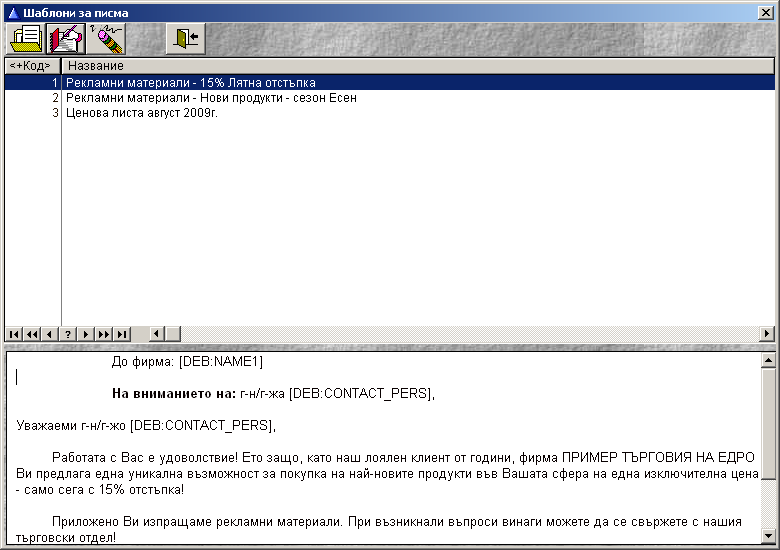
Templates for printing letters and documents, developed with the document designer, are assigned to the stages and actions of marketing campaigns.
According to these templates, automatic filling of correspondence for each individual client can be called up, which can then be printed as a letter or document. It is also possible to print documents and letters without saving them in the client data as correspondence. The flexible capabilities of the built-in text editor and the document designer allow for automatic inclusion of client data fields when generating documents, as well as individual layout of each letter individually or as a template for all clients.
Using the various capabilities of the new product for printing correspondence with customers and creating records in the database for printed letters and documents will facilitate the work of conducting advertising campaigns, sending letters, contracts, invitations, printing labels for mailings, managing deliveries and other activities, especially necessary for optimizing the activities of companies in times of crisis. This allows for rapid processing of large volumes of data and rapid preparation of correspondence with customers and reduces the costs of these administrative activities for employees.
Automatic sending of e-mails
Business Navigator — CRM contains built-in tools for automatic sending of e-mails to all customers included in the target list of actions and stages. For this purpose, it is necessary for the company to have e-mail from its own server or from the server of its Internet provider, with the e-mail data being set in the database in a manner similar to the standard Windows e-mail sending systems. For each campaign and stage, a separate email address can be selected from which messages will be sent. Messages are first automatically generated and saved in the database as correspondence, and then sent to all selected clients with just the click of a button.
Contacts and actions related to advertising campaigns
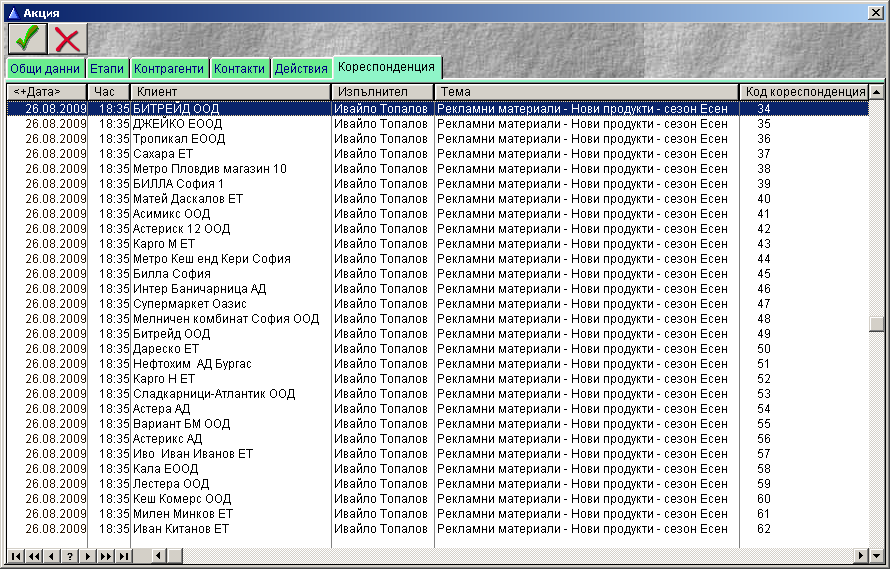
Business Navigator — CRM allows you to record actions and contacts with customers after sending letters by campaign and by stage, individually for each customer. From these records, you can then track the results of the actions taken, and the data is summarized in reports using the export options and report definition options with the report designer.
The entered data for shares is immediately visible in the customer data, which facilitates customer service during subsequent contacts.
Analysis of marketing campaign results
Business Navigator — CRM has an included report designer, with which different sections of the information can be defined and it can be combined with the customer data.
top